The Cryptogram Maker turns any plaintext message into a substitution-cipher puzzle. Paste a quote, a phrase, or a custom message and click Generate. The tool produces a cryptogram in which each letter has been replaced by a different random letter throughout. The result is a cryptoquip-style puzzle that someone else can solve using letter-frequency analysis, common-word patterns, and a bit of cryptanalytic patience. To get started quickly without thinking up your own plaintext, click one of the sample quotes next to the input field and the tool will load it ready for you to encode.
Useful for teachers building classroom cryptography activities, parents designing rainy-day puzzles, escape-room and party-game designers embedding coded messages into multi-step puzzles, and anyone who wants a quick way to encode a short message for friends to crack. When your puzzle is ready, hand it off. Your solver can paste it into our Cryptogram Solver to check their work.
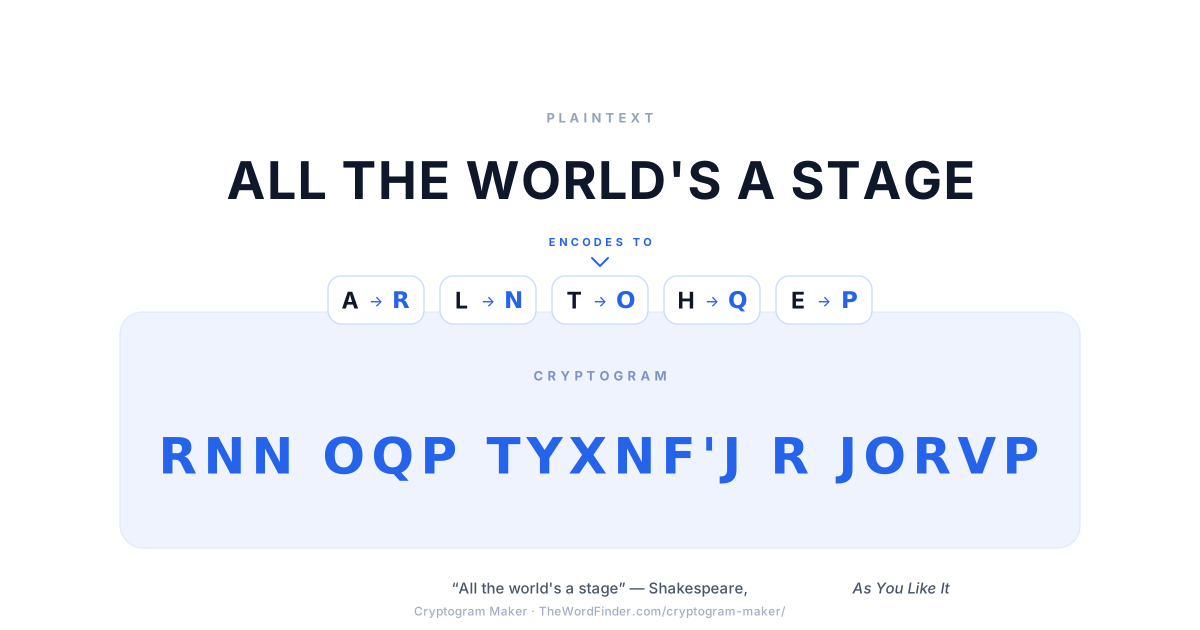
The Cryptogram Maker turns any plaintext into a cryptogram by replacing each letter with a different random letter, applied consistently throughout the message. The same letter always maps to the same substitute — which is exactly what makes the puzzle solvable by frequency analysis.
How the Cryptogram Maker Works
The Maker uses a random monoalphabetic substitution alphabet. Every time you click Generate, the tool produces a fresh substitution where:
- Each letter A–Z maps to a different letter (no letter maps to itself).
- The same plaintext letter always maps to the same ciphertext letter throughout the message.
- Word boundaries are preserved (cryptoquip-style). The National Puzzlers' League calls this form an aristocrat.
- Numbers and punctuation are either preserved as-is or stripped, depending on your settings.
If the first substitution produces something too easy or too obvious (occasionally the random mapping will leave a common letter pair looking suspicious), click Re-roll to generate a new mapping for the same plaintext.
Toggle Show cipher key to display the full A→? substitution table below the cryptogram — useful when you want to print the puzzle alongside an answer key for a classroom or party hand-out. Toggle it off again and the key disappears, so you can share the cryptogram on its own when you want the solver to actually solve it.
Not sure what to encode? Click one of the sample quotes above the input field: Aesop fables, Shakespeare lines, Mark Twain quips, and well-known proverbs are pre-loaded for one-click use.
When to Use the Cryptogram Maker
The Maker is built for the kinds of small projects where you need a fresh substitution cipher in seconds rather than constructing one by hand.
Classroom cryptography lessons
Encode a famous quote, a vocabulary list, or a passage from the curriculum, then hand it to students to solve as a cryptanalysis exercise. The printable Pigpen worksheet and the Caesar Cipher worksheet cover their respective ciphers in detail; the Cryptogram Maker fills the gap for general substitution-cipher work. For more classroom-ready resources, visit TheWordFinder's Teacher's Tools or Party Generators pages.
Escape rooms and party games
Embed an encoded message as one step in a multi-step puzzle. Players have to decode the cryptogram to find the next clue. Works equally well for tabletop puzzle design and live escape-room construction.
Scavenger hunts
Print clues encoded with the Maker; hide them around a venue or home. Participants need to decode each clue before moving to the next location.
Themed event invitations
Sending the date and time in cryptogram form for any spy-themed birthday parties, mystery dinner parties, Halloween events, detective-themed work team-builds adds a small but distinctive touch.
Code-breaking practice for cryptography students
Generate plaintexts of varying length and complexity for self-practice or for trading with classmates. Pair with the Cryptogram Solver for instant verification.
Kids' rainy-day puzzles
Encode a short message from a knock-knock joke, a riddle, the answer to a treasure hunt or anything else you can imagine and let younger learners crack it with the cipher key as a starter hint.
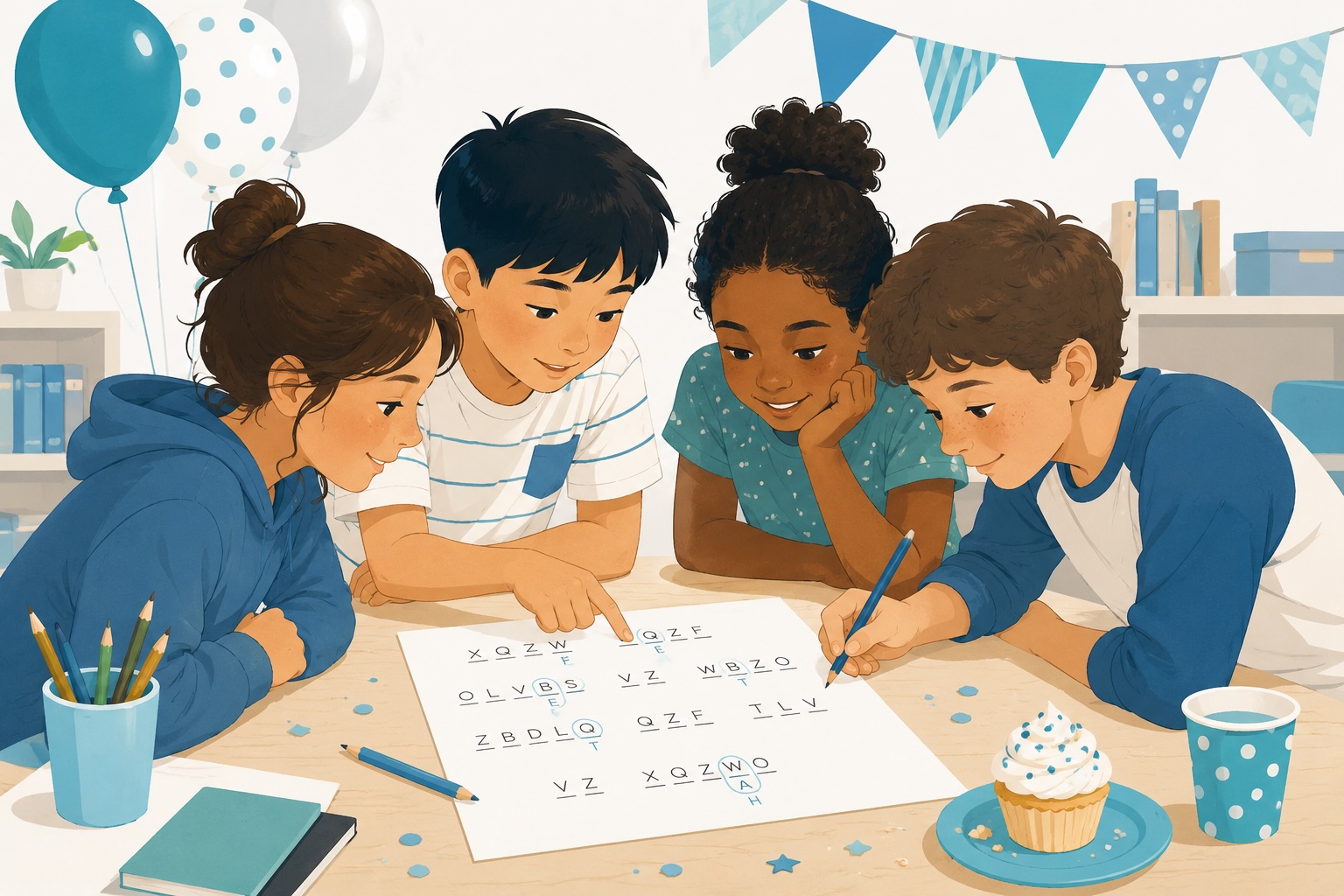
Cryptogram puzzles make great party activities — kids can work together to crack the code using frequency analysis, pattern matching, and a bit of teamwork.
Tips for Designing Good Cryptograms
A few small choices when you design a cryptogram make a big difference to how interesting (and how solvable) the puzzle is.
Pick a plaintext with varied letter frequency. Cryptograms are solved primarily by letter-frequency analysis — solvers identify the most common ciphertext letter (almost always E), then T, A, O, and so on. Plaintexts where the letter distribution roughly matches normal English are easier to solve. Plaintexts with unusual letter distributions (lots of Qs, no Es) are harder but more frustrating; pick the difficulty deliberately based on your audience.
Longer is easier (to a point). Counter-intuitively, longer plaintexts are easier to solve than short ones, because letter frequency only emerges as the message gets long enough for the statistical pattern to dominate over random noise. Aim for at least 25–30 letters for a satisfying solve; under 15 letters and the puzzle becomes a brute-force guessing game rather than a cryptanalytic challenge.
Preserve word boundaries (which this tool does by default). Word boundaries let solvers use single-letter words (A or I), common short words (THE, AND), and apostrophe patterns (X'T → N'T, X'S → 'S) to crack the puzzle alongside frequency analysis. Removing word boundaries produces a much harder puzzle form called a patristocrat — useful for advanced cryptanalysis practice but frustrating for casual solvers.
Consider including the cipher key for younger solvers. Toggle Show cipher key when you want to give a younger or less experienced solver a head start. The puzzle becomes a substitution exercise rather than a cryptanalytic challenge, which is the right starting point for kids learning what a cipher is for the first time.
Re-roll if the random mapping looks suspicious. Occasionally the random substitution will produce something obvious — a vowel mapping that's too convenient, or a common letter pair that looks like a giveaway. Click Re-roll and the mapping changes; the plaintext stays the same.
Frequently Asked Questions
A cryptogram is a short text encoded with a monoalphabetic substitution cipher which means that each letter of the original message has been consistently replaced by a different letter throughout. The puzzle is to work out which ciphertext letter stands for which plaintext letter. Cryptograms are also called cryptoquotes, cryptoquips, aristocrats, or substitution-cipher puzzles depending on the context.
Paste your plaintext message into the input field above and click Generate. The tool builds a random substitution alphabet. Each letter A–Z is mapped to a different letter, with no letter mapping to itself. This mapping is applied consistently across your message. Word boundaries are preserved by default (cryptoquip-style). You can include or exclude numbers and punctuation via the settings panel, toggle the cipher key on or off, and click Re-roll to generate a new random substitution for the same plaintext if the first one isn't ideal. See the How the Cryptogram Maker Works section above for the full walkthrough.
Yes, the Maker is well-suited to children's puzzle activities. The trick with younger solvers is to (a) keep the plaintext short to medium length (15–40 letters works well — long enough for frequency patterns to matter, short enough to stay manageable) and (b) toggle Show cipher key to give them a substitution table to work from, especially the first few times. As they get more confident, hide the key and let them crack the substitution themselves using frequency analysis. For a broader set of word-puzzle and code activities suitable for classrooms and homeschoolers, see TheWordFinder's Activity Room.
Once you've generated a cryptogram, click Copy to copy the encoded text to your clipboard — paste it into a message, email, document, or social post. The Share button generates a shareable link that opens this tool with your cryptogram pre-loaded, so the recipient can solve it directly on TheWordFinder. If you've toggled the cipher key on, you can copy the key separately or include it inline as an answer hint.
Yes, toggle Show cipher key above the output and the tool will display the full A→? substitution table alongside the cryptogram. This is the standard format for classroom worksheets (puzzle on top, answer key on the bottom for the teacher to keep) and for puzzles designed with a starter hint built in. Toggle the key off again and the cryptogram stands alone.
A satisfying cryptogram balances two things: long enough that letter-frequency analysis works (at least 25–30 letters; under 15 becomes guesswork), and short enough that solving feels manageable. Plaintexts with familiar phrases (famous quotes, well-known sayings) reward solvers who recognise the partial decryption mid-solve. Plaintexts with unusual letter distributions (lots of Qs, no Es) produce harder puzzles.
Yes, any cryptogram generated by this Maker can be solved using our Cryptogram Solver. The Solver offers both an auto-solve mode (instant best-guess solution using letter-frequency analysis and dictionary matching) and a manual letter-by-letter mode (with a 26-letter substitution table and a frequency analysis panel) so students can either check their work after solving by hand, or practise solving with the tool's hints visible. Pairing the Maker with the Solver lets you generate puzzles for a classroom and give students a way to verify their solutions independently.
The Cryptogram Maker uses a fully random substitution alphabet which means any letter can map to any other letter. The Caesar Cipher is a special case where the substitution is a fixed shift of the alphabet (a shift of 3 turns A→D, B→E, …). The Atbash Cipher is another special case where the substitution is a fixed reversal of the alphabet (A↔Z, B↔Y, …). All three are monoalphabetic substitution ciphers and are equally vulnerable to frequency analysis — the difference is just how the substitution alphabet is chosen. For the broader family of classical ciphers (including the Pigpen Cipher, the Vigenère Cipher, and others), see TheWordFinder's Cipher & Encoding Tools Hub.